- To connect with Zoom, please choice “Conferences” in your Studio site, then press “Zoom”
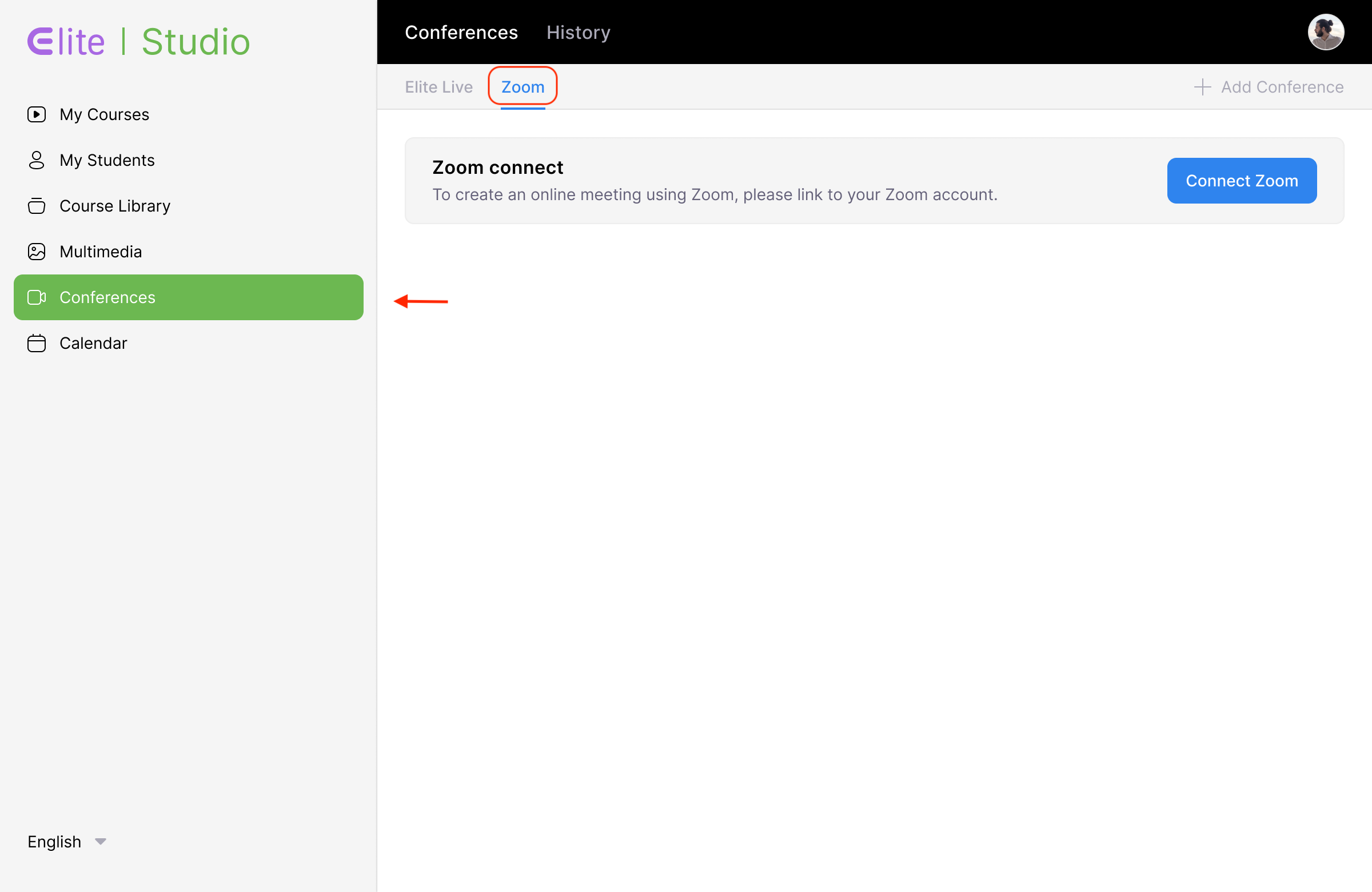
- If you don't connect with Zoom, then click “Connect Zoom”.
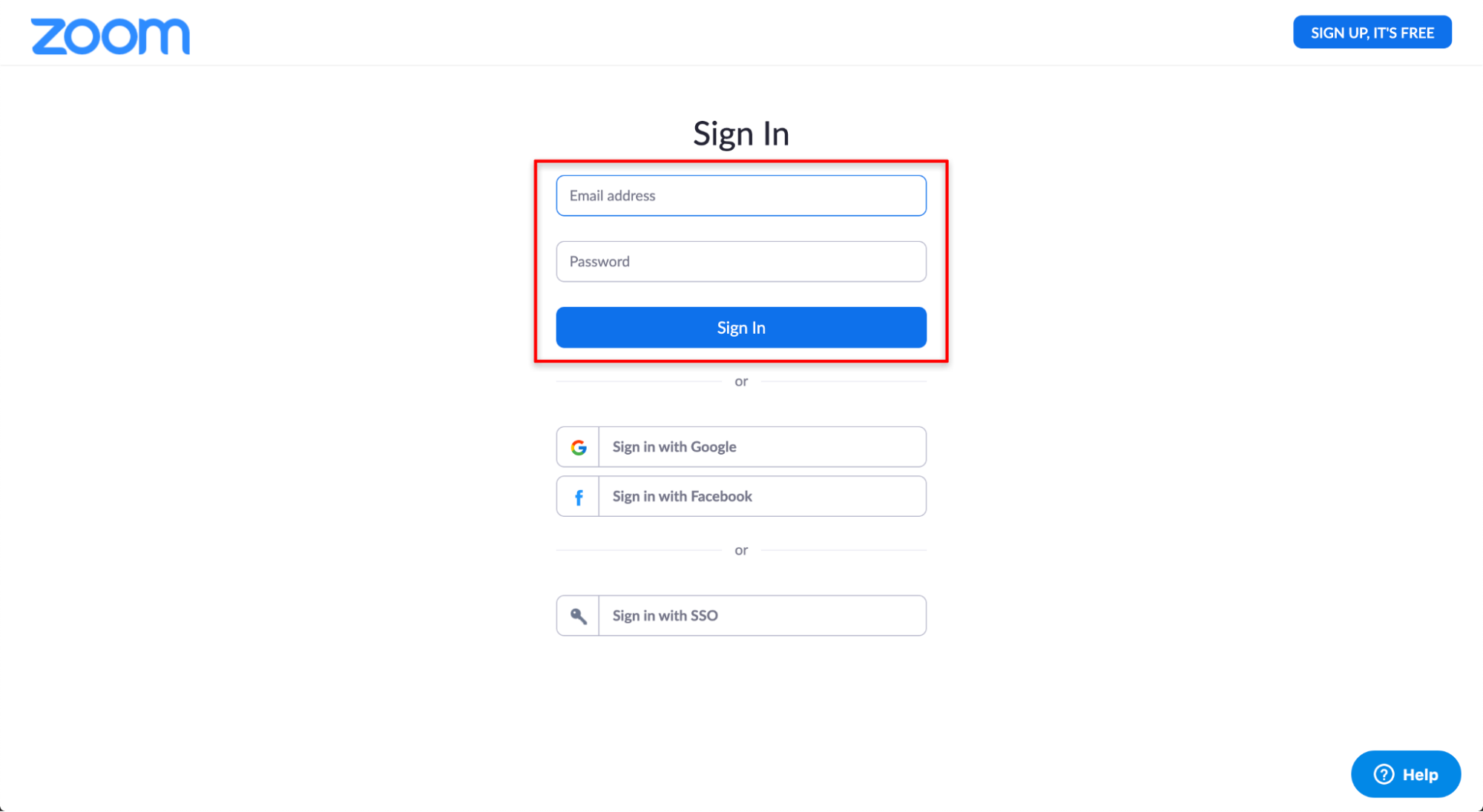
- Next, you will be redirected to Zoom website, sign into Zoom by entering your login credentials.
- Finally, click on the Sign In button.
Usage
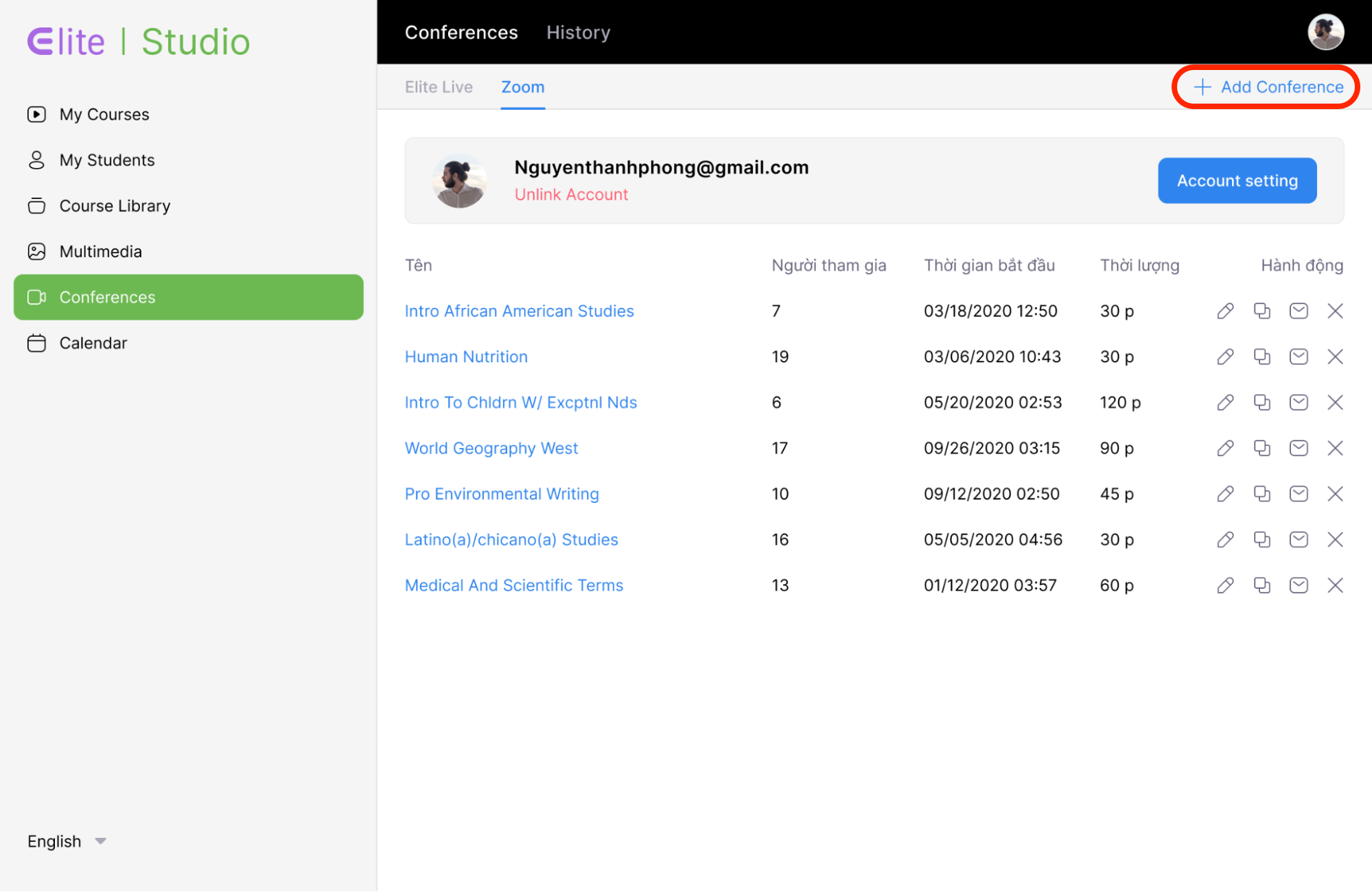
- After connect with Zoom, you can manage your Zoom meeting from Elite.
- To create new conference, click “Add Conference”.
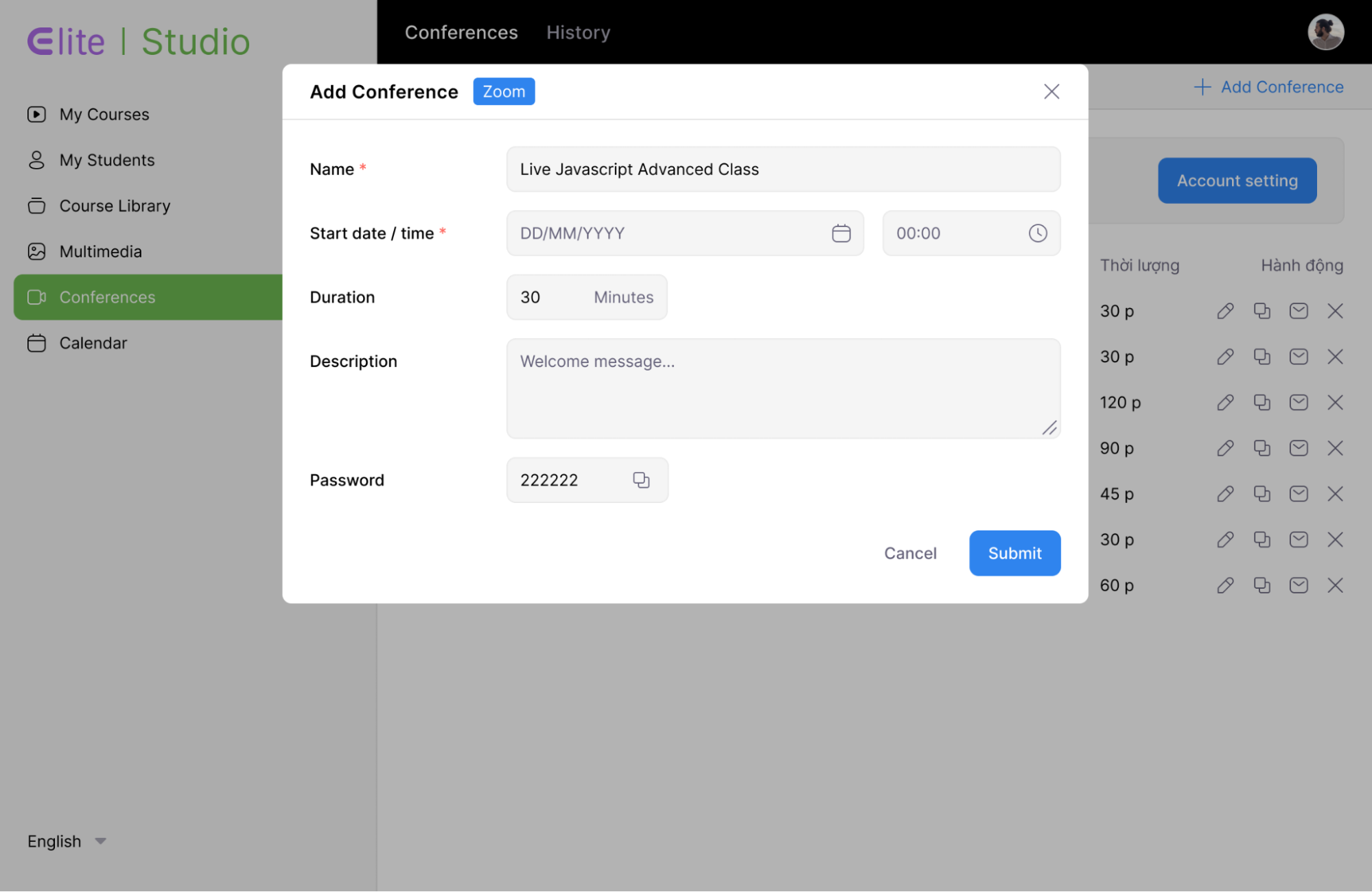
- A settings dialog for “New Conference” appears.
- Entering the name, start date / time, description,... for “New Conference”.
 **
**
- After filling in all the information, click “Submit” to proceed with creating a new conference.
Uninstallation
- Login into your Zoom Account and navigate to the Zoom App Marketplace.
- Click Manage > Installed apps or search for the EliteLearning app.
- Click the EliteLearning app.
- Click Uninstall.